
CAD Data Management
Lifecycle revision control for 3D CAD data with direct integration securing your investment in product design.
We are trusted by:






Intuitive CAD Data Management
- Direct CAD tool integration
- Major/minor revision controls
- Automatic CAD neutral file creation
- CAD parameter mapping
- Automatic part numbering
DDM’s integrated 3D CAD data management tools provides manufacturers with a secure vault to store and revision control design data.
With ribbon-bar integration to the markets leading 3D CAD systems, DDM provides powerful search, load & save, where used and up-issue tools for lifecycle management.
Multi-CAD Integration
DDM works seamlessly with leading 2D and 3D CAD platforms, specifically PTC’s Creo, Siemens Solid Edge, IronCAD plus AutoCAD and Inventor from Autodesk, all with a single license, no extra modules to buy.
Find and re-use design data
With extensive search tools, DDM enables engineers to quickly find and re-use existing parts and assemblies, saving time and money and eradicating duplication.
Product Structure Browsing / Where Used
Instantly see parent / child relationships of large assemblies, sub-assemblies and top-level products for impact analysis and component standardisation.
Easy to use,
Scalable PLM
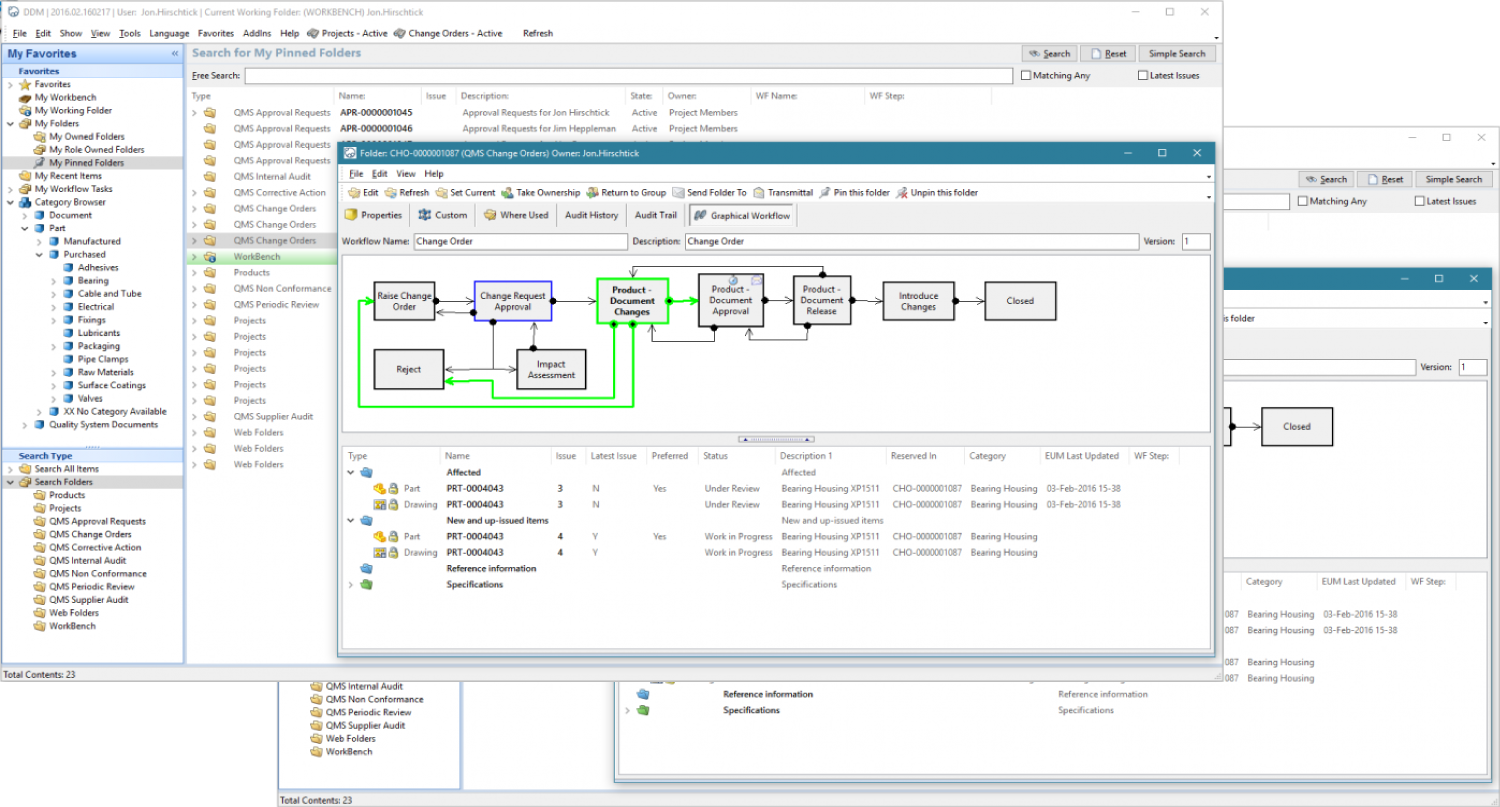
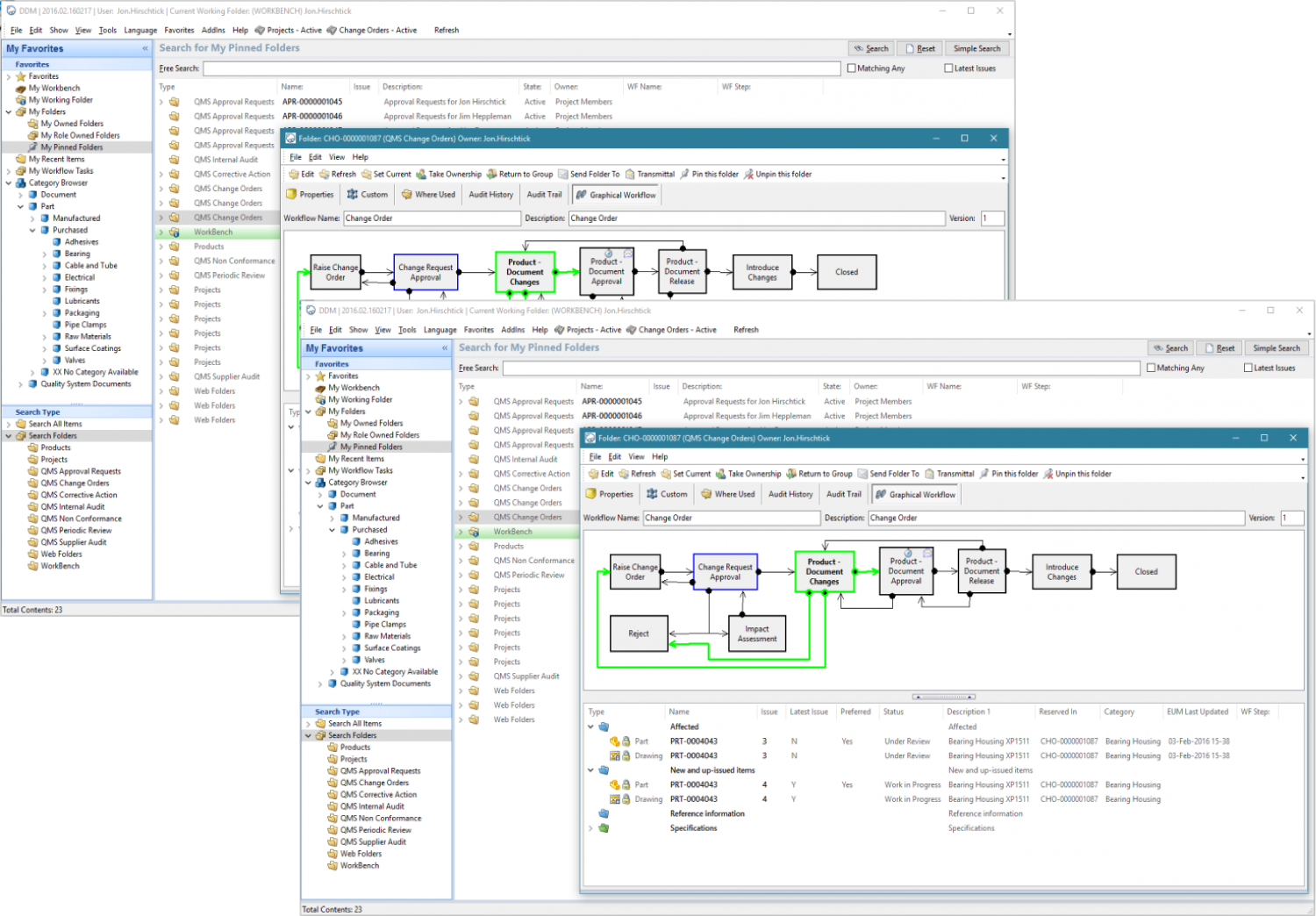
With DDM’s intuitive, easy to use, locally installed thick client, engineers have fast, powerful and secure access to their engineering data, which with replication, can be shared with colleagues globally.
Part/model Centric,
Database Driven
Built on SQL Server, DDM will always show the correct historical version used, so manufacturers have a point-in-time record of exactly what was shipped to a customer.
CAD Data Management
DDM combines direct CAD integration, revision control, search, where used insight and product structure browsing to give engineers controlled access to design data throughout the product lifecycle.
Secure design data
Design data is stored in a secure vault with controlled revisions, helping manufacturers retain a reliable history of product development.
Direct CAD integration
Ribbon-bar integration gives engineers access to DDM tools from supported CAD systems without moving between disconnected applications.
Lifecycle control
Search, load & save, where used and up-issue tools support controlled management of engineering data throughout its lifecycle.
Why Choose DDM?
When managing complex product data and workflows, the right PLM system can make all the difference.
Here’s what sets DDM apart:
300+
customers across 30 countries have manufacturing teams empowered by DDM
90+
years combined engineering and PLM experience across the DDM leadership team
30+
years of development, trusted by SMEs and global enterprises alike
3+
times Return on Investment customers are typically seeing deploying DDM
CAD Data Management Next Steps
See how DDM’s integrated CAD data management tools can improve your product development process with easily found parts, where used insight and direct integration.
Industries
Featured industries we serve

Aerospace & Defence
Digital transformation for Commercial Aviation, Weapons & Missile Systems, Space Systems and Naval & Ground Defence,

Automotive & Transportation
Digital transformation for Vehicle Manufacturing, Autonomous & Electrification and Component & Supply Chain.
Consumer Production & General Manufacturing
Digital transformation for Fast-Moving Consumer Goods (FMCG), Electronics & Electrical and Metal Fabrication & Machining.

Energy & Utilities
Digital transformation for Electrical Generation & Distribution, Renewable Energy, Oil & Gas, Water Services and Utilities.
Food & Beverage
Digital transformation for Food & Beverage Manufacturing, Packaging & Material Handling, Supply Chain & Logistics and Industry 4.0 (Automation & Robotics).
Industrial & Heavy Equipment
Digital transformation for Construction & Infrastructure, Mining & Mineral Extraction and Agriculture & Forestry.
Marine & Shipbuilding
Digital transformation for Commercial Vessel Construction, Passenger Vessels and Small Scale Shipbuilding.
Medical Device & Life Sciences
Digital transformation for Medical Technology, Digital Health Technologies and Biotechnology & Bioengineering.
What our customers think
Success with DDM
Used by your peers across the world, learn how DDM has delivered business value across industries — from defence to healthcare and beyond.

“We struggled for years with a paper system until we implemented DDM. Data management has become second nature, everything is stored and completed in DDM”

“It’s been very impressive! The ability of DDM to be very quickly adapted and configured to meet our business needs. It goes beyond just data control and CAD…”

Frequently Asked Questions
FAQs
Whether you’re exploring DDM for the first time or looking to get more out of your current setup, this FAQ covers the most common questions about our platform, integrations, setup, and support.
If you don’t see what you’re looking for, our team is always here to help.
DDM is built for engineers, designers, and manufacturers who use tools like SOLIDWORKS, AutoCAD, Creo, and Siemens NX. It’s especially valuable for small to mid-sized businesses looking for scalable data control without expensive IT overhead.
DDM is built for engineers, designers, and manufacturers who use tools like SOLIDWORKS, AutoCAD, Creo, and Siemens NX. It’s especially valuable for small to mid-sized businesses looking for scalable data control without expensive IT overhead.
DDM is built for engineers, designers, and manufacturers who use tools like SOLIDWORKS, AutoCAD, Creo, and Siemens NX. It’s especially valuable for small to mid-sized businesses looking for scalable data control without expensive IT overhead.
DDM is built for engineers, designers, and manufacturers who use tools like SOLIDWORKS, AutoCAD, Creo, and Siemens NX. It’s especially valuable for small to mid-sized businesses looking for scalable data control without expensive IT overhead.
DDM is built for engineers, designers, and manufacturers who use tools like SOLIDWORKS, AutoCAD, Creo, and Siemens NX. It’s especially valuable for small to mid-sized businesses looking for scalable data control without expensive IT overhead.
DDM is built for engineers, designers, and manufacturers who use tools like SOLIDWORKS, AutoCAD, Creo, and Siemens NX. It’s especially valuable for small to mid-sized businesses looking for scalable data control without expensive IT overhead.
CAD Data Management Next Steps
See how DDM’s integrated CAD data management tools can improve your product development process with easily found parts, where used insight and direct integration.